
Over the last weeks we shipped the biggest TagoDeploy release to date. A new deploy model, full custom-domain control, a programmable MQTT stack, project tiers, and a refreshed UI across the console. Everything below is in production right now. No flags, no waitlist.
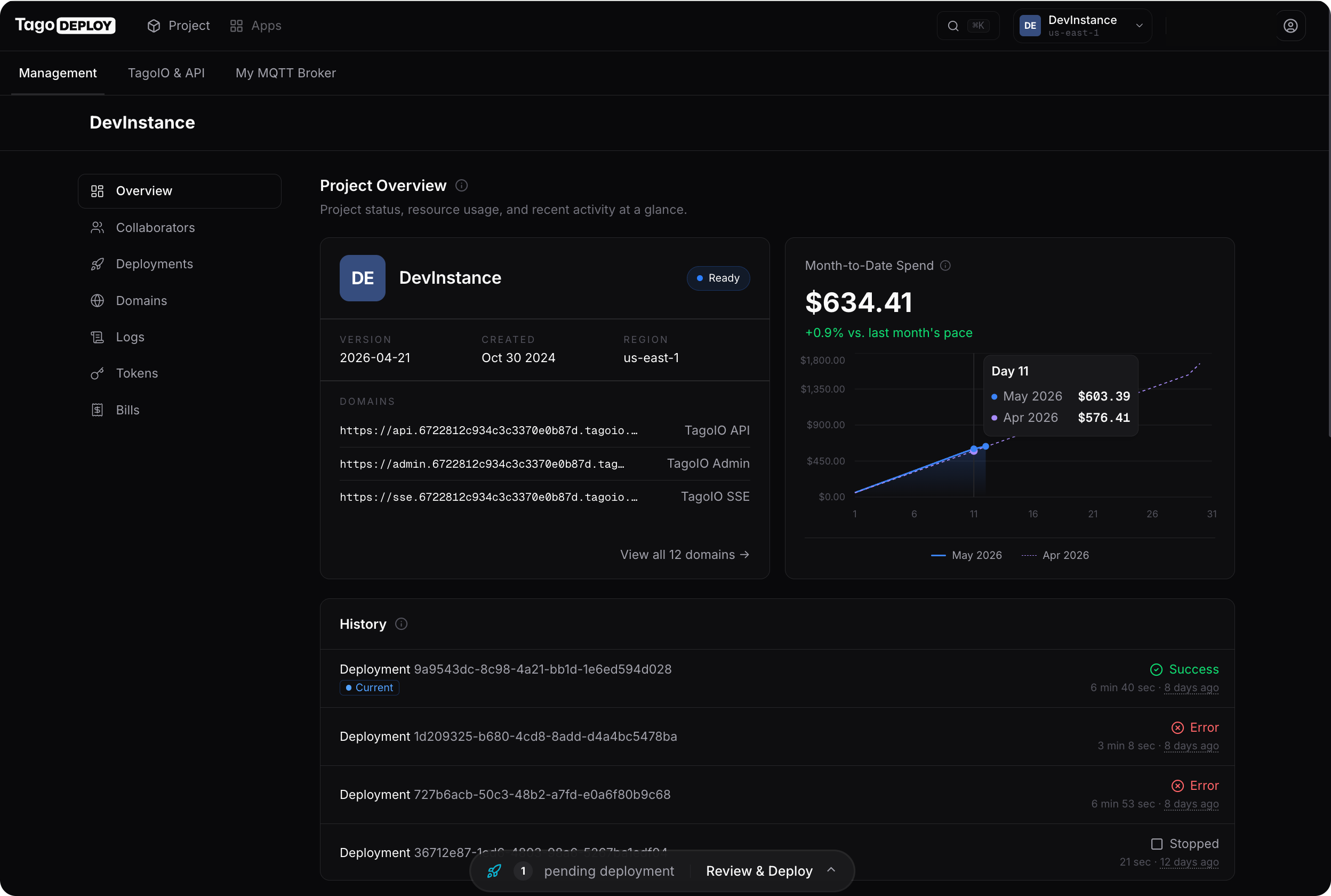
A new way to deploy
Queue multiple changes and ship them as a single, reviewable changeset. Before you hit deploy, see a visual comparison of every configuration field, app version, and routed domain.
The Deployments history is now an audit log. Open any past deploy to see exactly what changed, when it completed, and how long it took. Logs stream in a live tail.
Custom domains, end to end
Add a domain through a guided wizard with live DNS verification. See per-record status at a glance, and route a verified domain to any app, service, or embedded target without triggering a redeploy.
Domain status is checked in the background and cached, so the Domains page loads instantly with up-to-date health for every record.
MQTT, fully programmable
Manage device credentials, authorization groups and rules, message pipelines, and topic-to-bucket mappings from the console, alongside the live client list and telemetry you already had.
Custom broker certificates exit beta with stable wire-format keys and inline error surfacing on save.
Find anything in two keystrokes
Hit Cmd+K or Ctrl+K from anywhere in the console to jump straight to a project, page, or app. No more drilling through menus to get where you are going.
The whole navigation got a tune-up: prefetched routes, smoother transitions, and a refreshed sidebar that keeps the next click within reach.
Know what’s running, and what it costs
Richer metrics controls across every deployed service. Pick a quick range (1h, 6h, 12h, 1d, 3d, 7d, 30d) or grab a custom window with the calendar picker to look at performance over any timeframe.
The Bills page is a full overhaul: a per-app cost filter, MTD and average-per-day tiles, a daily-spend chart with 7d/14d/MTD toggle, a top-services breakdown, and a detailed charges table.
Also new
Project Tiers
Tier-governed limits on apps, custom DNS, machine size, and scaling. Existing projects start at tier 4 with all limits unlocked.
Multi-method MFA
Authenticator app with QR setup, SMS, or email. Set a default and switch any time. Plus password reset and email verification.
Self-serve billing
Customer balance, saved payment method, one-click retry on open invoices, and a full invoice history with status badges.
Public REST API
Script TagoDeploy from CI. OpenAPI spec at /api/openapi.json, gated for project tokens.
Manifest-driven install wizard
Apps install through typed, validated forms with numeric bounds, selects, and field-level errors.
TagoIO Integrations
Configure transactional email (SendGrid, SMTP, AWS SES) and SMS (Twilio) per project.
Version timeline
Visual newer, current, and older versions for the TagoIO platform, with one click to update or roll back.
Analysis runtime tuning
Per-runtime memory allocation for Node.js and Python, with invocation and duration charts.
Refreshed UI throughout
New layout with smooth page and dialog transitions and tighter typography.
Localization-ready
The entire console is internationalized end-to-end. Translations land next.
Get started
Everything above is shipping today.
No flags, no waitlist. Open the console and the new flows are right there. If something feels off, tell us. We read every report.